


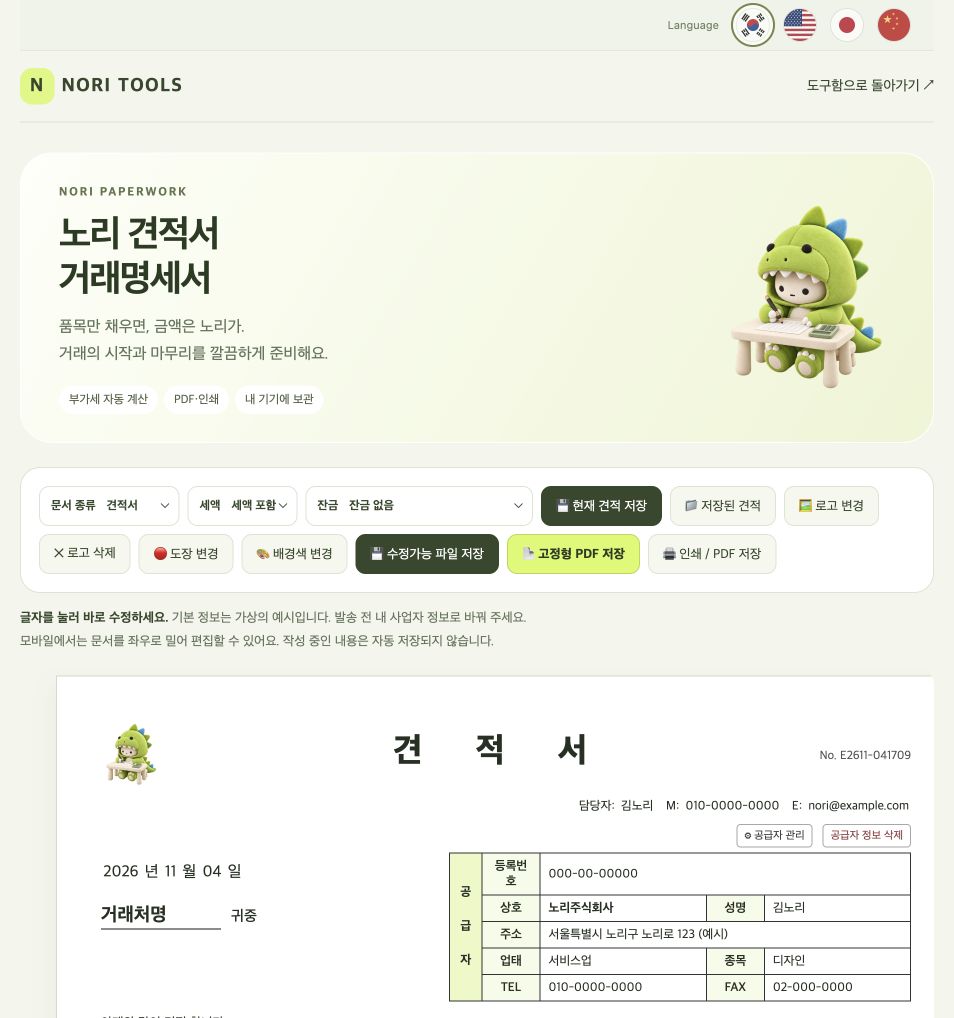
Create a quotation in Nori to propose prices to a client. Click the document text to edit, enter items, quantities and unit prices, and check the totals. Creating and saving PDFs is free, with no sign-up.
1. Select Quotation as the document type
Select Quotation in Document type. The default supplier and registration number are fictional examples. Replace the contact, phone, business name, registration number, address and customer with real details, and check the date.
2. Enter items, quantities and unit prices
Click item name, specification, unit, quantity and unit price in the table to edit. Use + Add item for more rows. Specific descriptions, such as one design project, help clients understand the quotation.
3. Choose tax-inclusive or tax-exclusive prices
The tool uses a 10% tax rate. With tax-exclusive prices, two items at KRW 10,000 each give a subtotal of KRW 20,000, tax of KRW 2,000 and total of KRW 22,000. Tax-inclusive mode treats the entered price as including tax. Choose the basis agreed with your client.
This example explains the tool. Check that its calculation method matches your transaction before sending. Changing the display language does not change the KRW currency or the 10% tax rate.
4. Add your logo, stamp and terms
Use Change logo and Change stamp to attach your images. Add delivery dates, quotation validity and payment terms in Notes. If needed, make a signature or stamp first with Nori’s free tools.
5. Choose the right way to save
- Download PDF: Save the finished document to send to your client. The PDF converter needs an internet connection when it first loads.
- Print / Save PDF: In the browser print dialog, check A4 portrait, headers and footers.
- Save current document: Store it in the current browser on this device.
- Save editable file: Save a separate file that you can edit again later.
Keep a long-term copy
Browser storage does not sync to other devices and may be lost when browser data is cleared. Use a full backup from Saved quotations or export an editable file. If there are many items, check that the PDF text is not too small.